
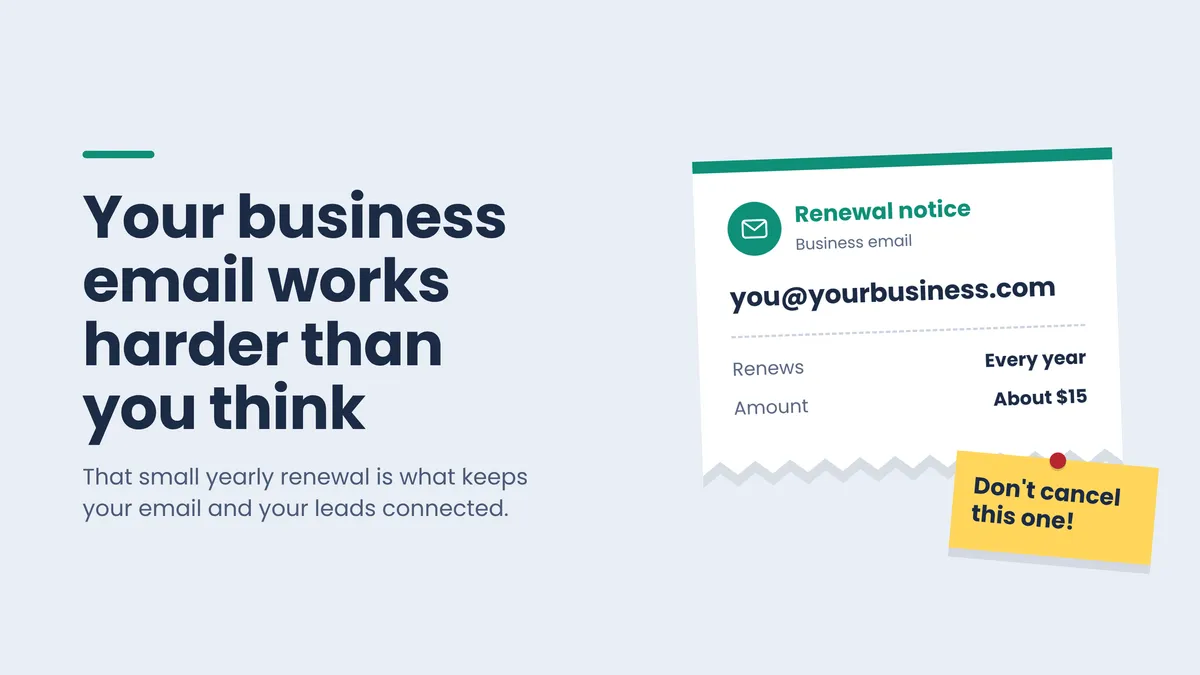
Your Business Email Works Harder Than You Think
You get an email about a $15 renewal you don't recognize, and since you can't remember the last time you logged in to your business email, you let it expire. Money saved, right? Not quite. Here's why that small renewal matters so much, how to tell if your email is at risk, and what it looks like when it's set up so it never disappears on you.
Why a $15 Renewal Can Cost You Way More Than $15
I was recently working with my client Arthur, and he told me he let his business email expire. He saw the renewal notice, figured he wasn't using that email, and let it go.
But he was using it. His business email was connected inside his OnlineSolutions.ai account, doing its job in the background. Now I'm meeting with him next week to spend at least an hour hooking everything back up.
His plan in the meantime? Tell people to just email his Gmail address instead. I get why that feels like an easy fix, but here's what a lapsed business email really costs you:
Emails stop coming in, not just going out. Anyone who emails you, including brand-new leads, gets a bounce-back. That's an automatic reply saying your inbox doesn't exist. Talk about setting off scam alarms in someone's head.
Everything connected to that email breaks. If your email is connected to the rest of your business system, those connections stop working. Rebuilding them takes time, and you may end up paying for setup all over again.
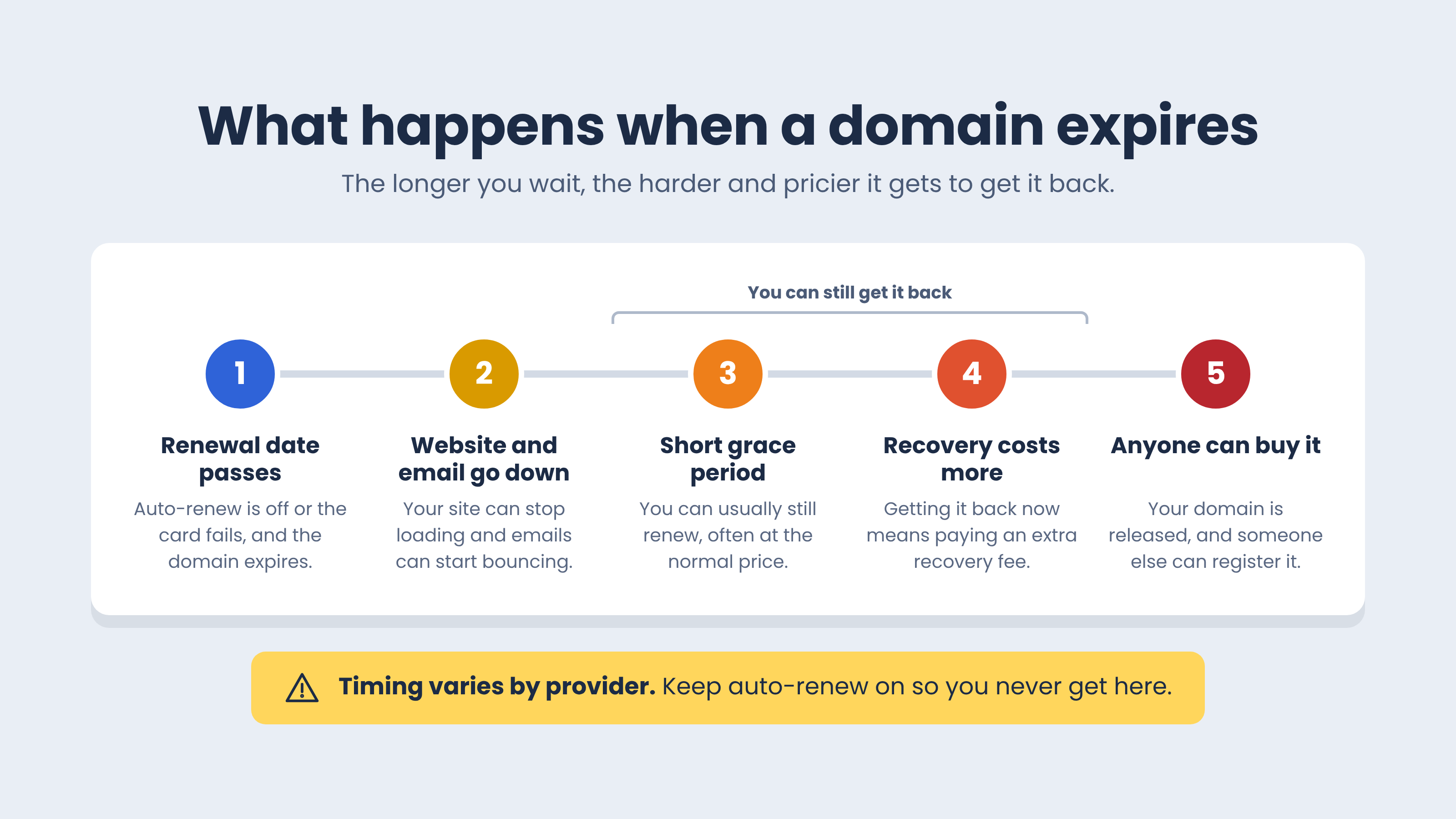
Your website can go down too. If the renewal that fails is for your domain (your website address, like yourbusiness.com), your website and your email can both stop working. Wait too long, and someone else can buy your domain.
Try this: Think about the last renewal email you ignored or deleted. Do you know what it was for?
The Mix-Up I Keep Seeing: Two Renewals, Not One
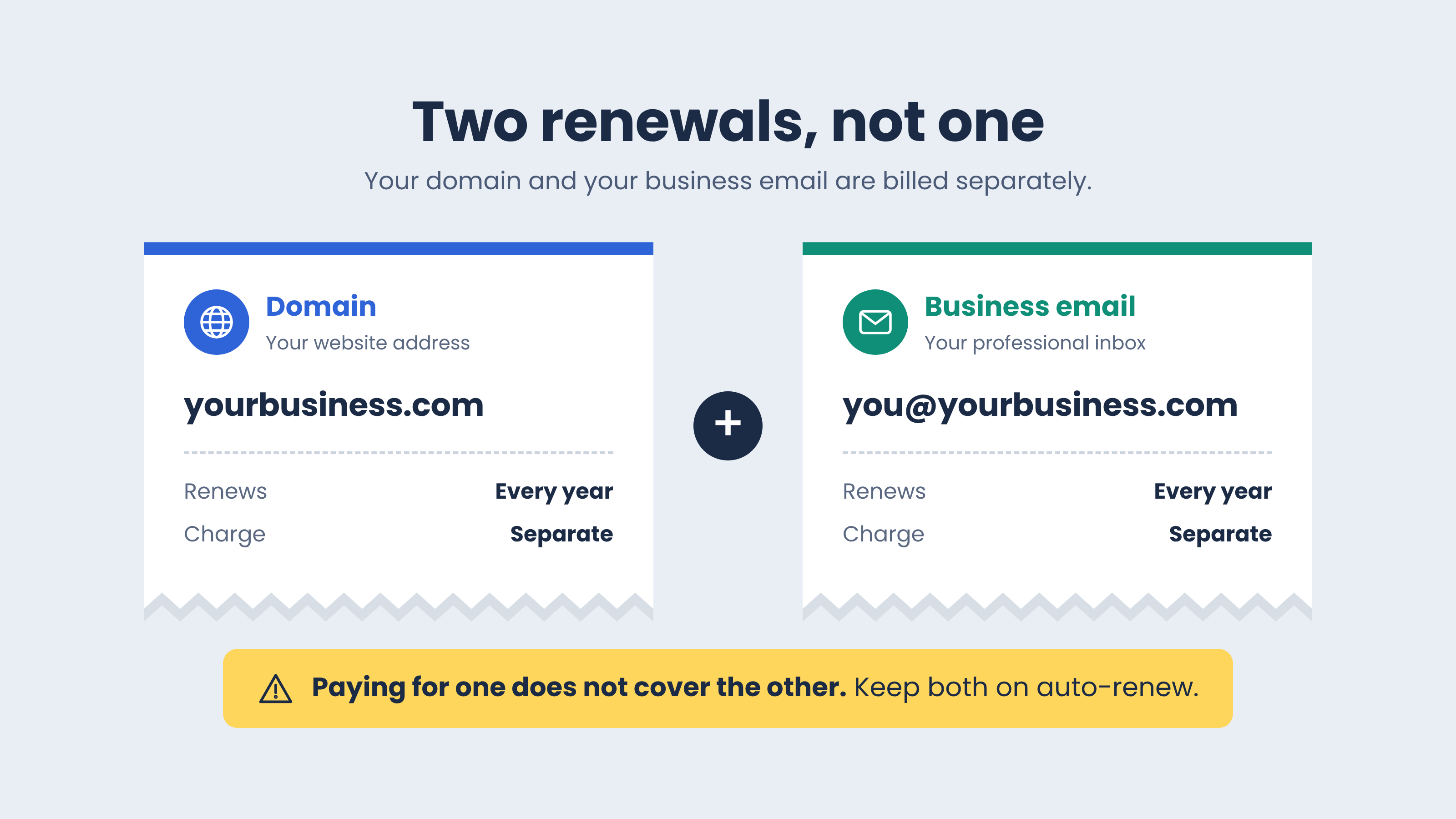
This is the part that trips up a lot of business owners. Your domain and your business email are two separate things, and they renew separately.
Your domain is your website address. It renews once a year.
Your business email (like [email protected]) is its own subscription. It also renews once a year, with its own charge.
Paying for one does not pay for the other.
Here's the trap. You get an email about a renewal for around $15, assume it's some extra add-on you bought and don't need, and let it expire. You figure the domain is the only renewal that matters. Very often, that $15 renewal was your business email.
Sometimes both are billed by the same company, and sometimes they're billed by two different companies. Either way, they're two separate charges.
Try this: Can you name both of your yearly renewals and where each one is billed? If not, that's the first thing to figure out.
Why "Just Use Gmail" Isn't a Safe Backup Plan
By the time a customer emails you, they've usually already been on your website. They've seen yourbusiness.com. Then you tell them to email you at a Gmail address that doesn't match.
That feels off. It can look like someone is pretending to be your business, which is exactly what scammers do. The customer who was ready to buy now isn't sure it's really you.
Switching to Gmail also doesn't fix anything that was connected to your business email. It just stacks a second problem on top of the first.
And here's the kicker: a business email that matches your website can cost less than $15 a year. That's a small price for looking like the real business you are.
Try this: Look at your website, your business cards, and your email signature. Which email address are you actually giving people?
How to Tell If Your Business Email Is at Risk
Run through this quick self-check. If even one of these sounds like you, your email could disappear without much warning.
You don't have a business email. You only have a Gmail that you give to everyone.
You're not sure which company bills you for your domain, your email, or both.
You don't know if auto-renew (the setting that renews and charges your card automatically) is on for both.
You got a new bank card in the past year and didn't update it with your domain provider (the company you pay for your web address, like GoDaddy or Namecheap).
Your renewal warnings go to the same business email that's up for renewal. If that email goes down, so do the warnings.
You've deleted or ignored a renewal email because you didn't recognize the charge.
Try this: Count how many of these apply to you. Zero means you're in good shape. One or more means it's time to fix it before it breaks.
The New Card Problem Nobody Warns You About
Banks replace cards all the time. Your card expires, gets lost, or gets hit with a fraudulent charge. Each time, every account still using the old card is set up to fail.
Your streaming apps will nag you until you update them. Your domain provider might send one email that gets buried. When that renewal fails, your website and email can stop working.
If your bank sends you new cards often, you need a safety net so one card change can't take your business offline. Some providers let you keep a backup card or a prepaid balance for exactly this reason.
Try this: The next time you get a new card, put your domain provider at the very top of your update list.
What "Done Right" Looks Like
When your business email is set up the right way, you don't have to think about it. Here's what that looks like:
You know what you're paying for. Your domain and your business email are both on your radar, and you know where each one is billed.
Auto-renew is on for both. Not just the domain. Both.
The card on file is current. And there's a backup, so one new card doesn't cause a crisis.
Renewal warnings reach you. They go to an inbox you check every day, not the email that's up for renewal.
You have a backup reminder. A yearly calendar reminder catches anything auto-renew misses.
Your email matches your website. Customers always know they're talking to the real you.
Try this: How many of these six can you say yes to today?
Common Mistakes That Take Businesses Offline
Canceling a renewal you don't recognize. If it mentions your domain name, find out what it is first.
Turning on auto-renew for only one of the two. Half-protected is still unprotected.
Ignoring "payment failed" emails. Those are your warning shots.
Starting over somewhere new after it expires. Buying a new email somewhere else means rebuilding everything that was connected to the old one.
Waiting too long to act. Most providers only give you a short grace period to renew. After that, getting it back usually costs more.
Try this: If a renewal email ever confuses you, pause before you cancel. Find out what it's connected to first.
Where I Come In
This is exactly the kind of thing I set up and fix for my clients. I get your business email set up to match your website, connect it to the rest of your business, and make sure you know which renewals keep it all running.
If something already lapsed, I help you get it back and reconnect everything, so you're not stuck guessing which settings matter.
The result? Your email just works. Customers see an address that matches your website, and you stop wondering which renewal emails are safe to ignore.
Already a client? Log in to the community for the full walkthrough, and book a 1:1 call with me if you want help checking yours.
Want me to make sure your business email never disappears on you?
Text BLOG to (310) 620-1266.
Prefer another way? Email [email protected], or message our team using the chat in the bottom left corner of this page.
Client names and identifying details have been changed to protect their privacy.